How I Made a 90-Second AI Animated Reel Using 9 Tools (and What I Learned)
I recently finished a short animated reel called "Timing, Not Time." It's 90 seconds long. It took me an afternoon over the holiday period to make. And it involved nine different AI tools, plus a few non-AI resources along the way.
This isn't a tutorial. It's more of a reflection on the process: what worked, what didn't, and what I learned about creative collaboration with AI.
The Brief I Set Myself
I wanted to create something cinematic. A short, poetic piece that felt aligned with my brand: warm, calm, visually distinctive. Something illustrated rather than photographic, with texture and atmosphere.
The question was: could I do this using AI tools, without it feeling generic or losing the human touch?
The Tools
Here are the AI Tools Used to Create the Reel:
| Tool | Role |
|---|---|
| Claude (Anthropic) | Script development, creative direction, initial image prompts |
| ChatGPT | Refining image prompts, Kling animation prompts |
| Leonardo AI (Lucid Origin model) | Generating the illustrated stills |
| Nano Banana Pro (Google Gemini) | Upscaling and refining images |
| Kling AI | Animating the stills |
| Suno | Ambient soundtrack |
| ElevenLabs | Voice cloning for narration |
| Freesound | Sound effects (not AI) |
| Filmora | Video editing and audio assembly |
| Canva | Text overlays and final export |
Each played a specific role. And I learned quickly that different tools have different strengths.
1. Starting with the Script (Claude for AI Writing)
I began with Claude. Not with visuals, not with mood boards - with words.
We worked through the concept together. "Timing, Not Time" emerged as a framework: the idea that productivity isn't about managing hours, but about recognising rhythms. Time asks "how much can I fit?" Timing asks "when does this belong?"
Claude helped me shape the script, refine the phrasing, and structure the emotional arc. We went through several drafts. The final script was short (maybe 100 words) but every line had to earn its place.
Learning: Start with words, not pictures. The script shaped everything that followed. If I'd jumped straight to visuals, I'd have been decorating without direction.
2. Finding the Visual Style with Lucid Origin
This was the hardest part.
I knew I wanted something illustrated, textured, warm. I worked with Claude to write a detailed prompt for Leonardo AI, specifying my brand palette: sage greens, dusty golds, ambers, soft teals. I wanted dense crosshatch texture like a European graphic novel. A tiny figure in a teal coat walking through vast landscapes.
The first results using the Lucid Origin model were promising. Rolling Provençal hills. The figure perfectly small against the landscape. It felt right.
But then I made a mistake. I tried to "improve" the prompt for subsequent frames, adding more specific instructions about style. The results drifted - some too flat and poster-like, others too soft and painterly. I'd lost the magic of the original.
This is where ChatGPT helped. I shared the original image and prompt, explained what was working and what wasn't, and asked for refinements. ChatGPT's approach was more technical and structured, specifying exactly what to include and exclude, breaking down style elements systematically. This helped me regain consistency.
Learning: Protect what works. When I found a prompt that captured the style, I should have built a template around it rather than reinventing each time. I eventually did this, and consistency returned.
Learning: Simple prompts often outperform complex ones. My original, slightly looser prompt gave Leonardo room to interpret. The over-specified versions constrained it too much.
3. Creating the 8 Frames
The reel needed 8 distinct frames, each matching a section of the script:
Rolling fields at dawn — the opening question
Terraced hillside at midday — the productivity trap
Coastal cliffs at dusk — exhaustion
Mountains under stars — the reframe
Mountain lake at blue hour — reflection
Olive grove in morning light — natural rhythm
Lavender field at golden hour — release
Rolling hills at twilight — invitation to continue
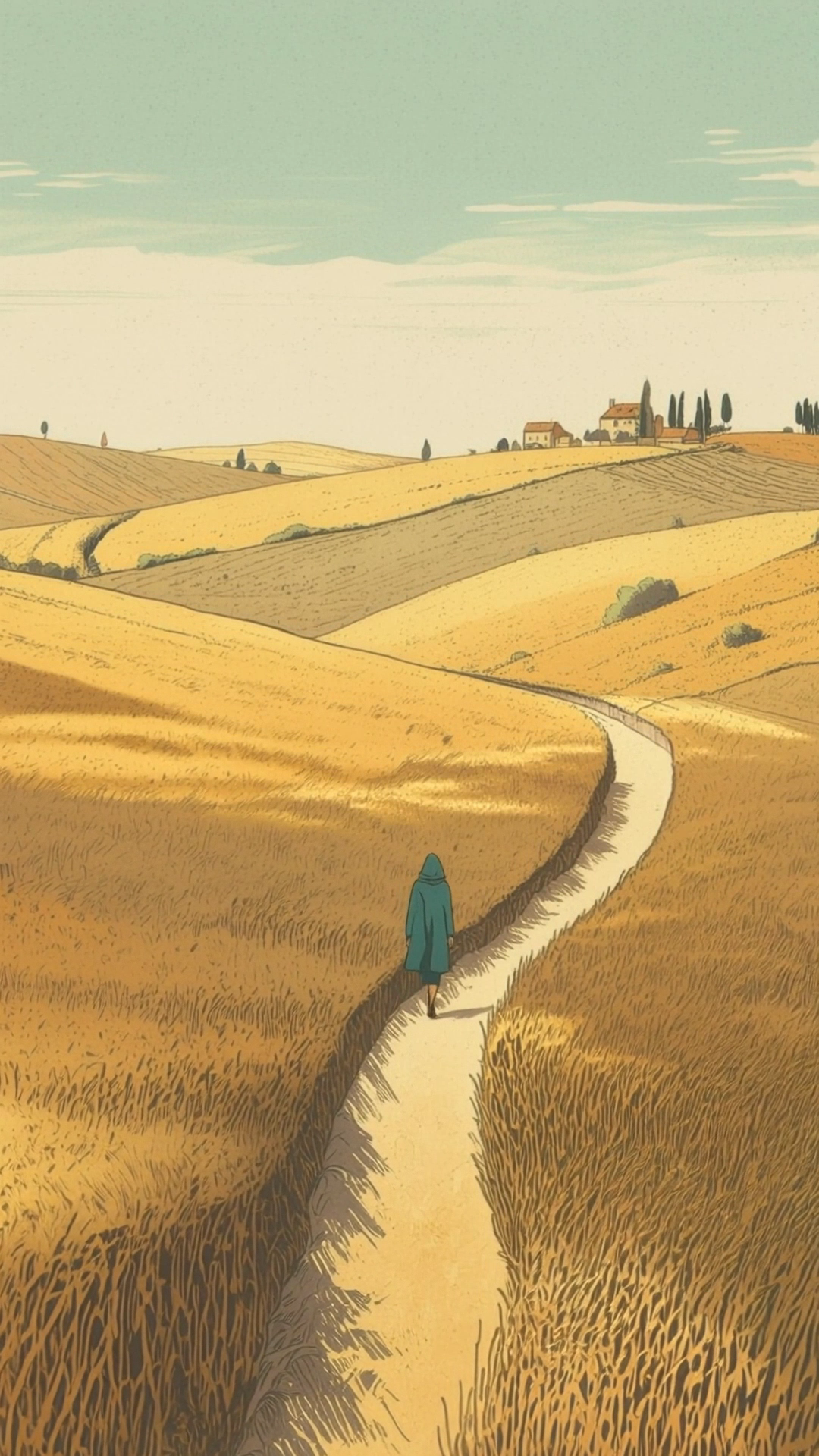
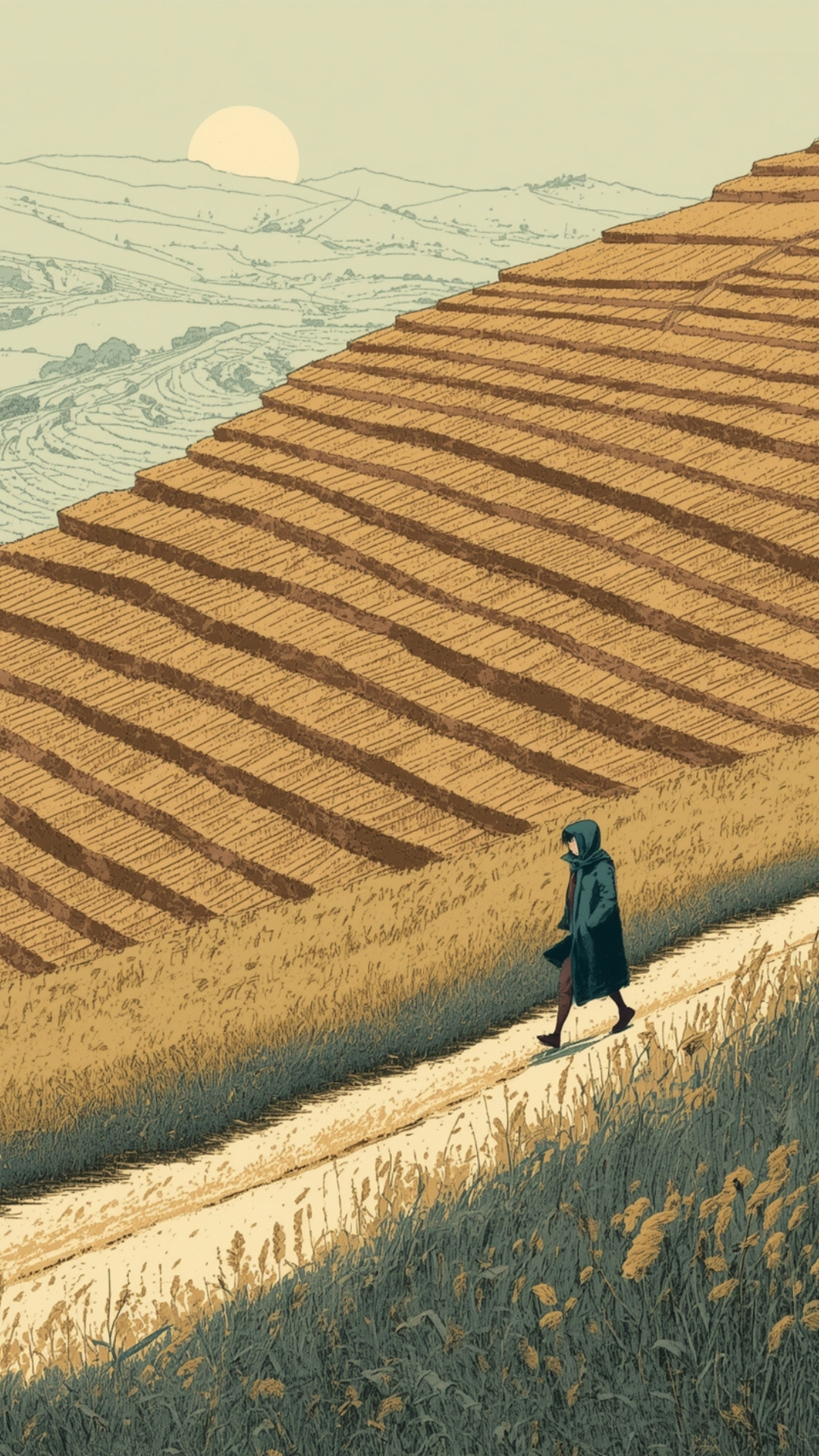
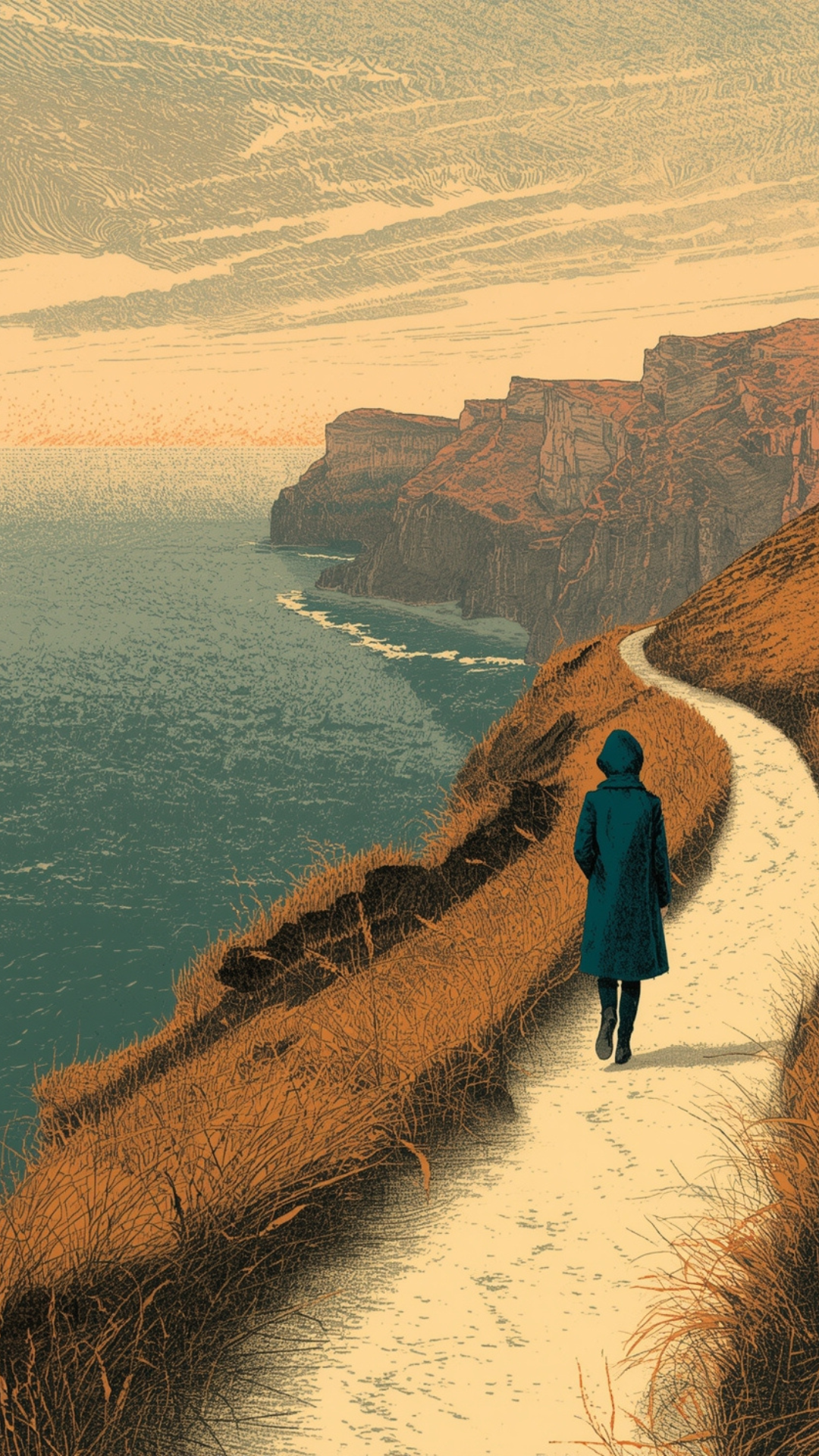
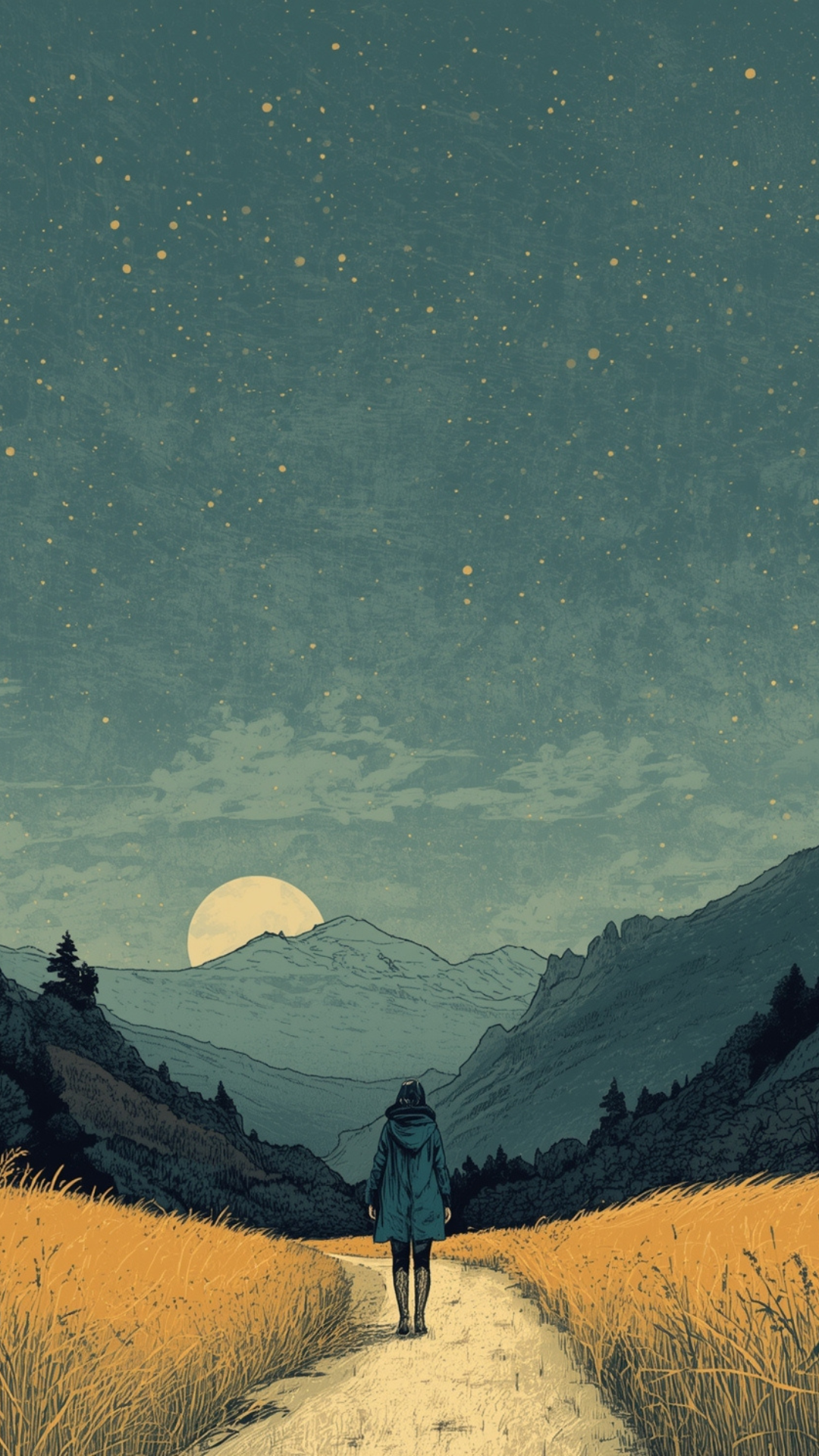
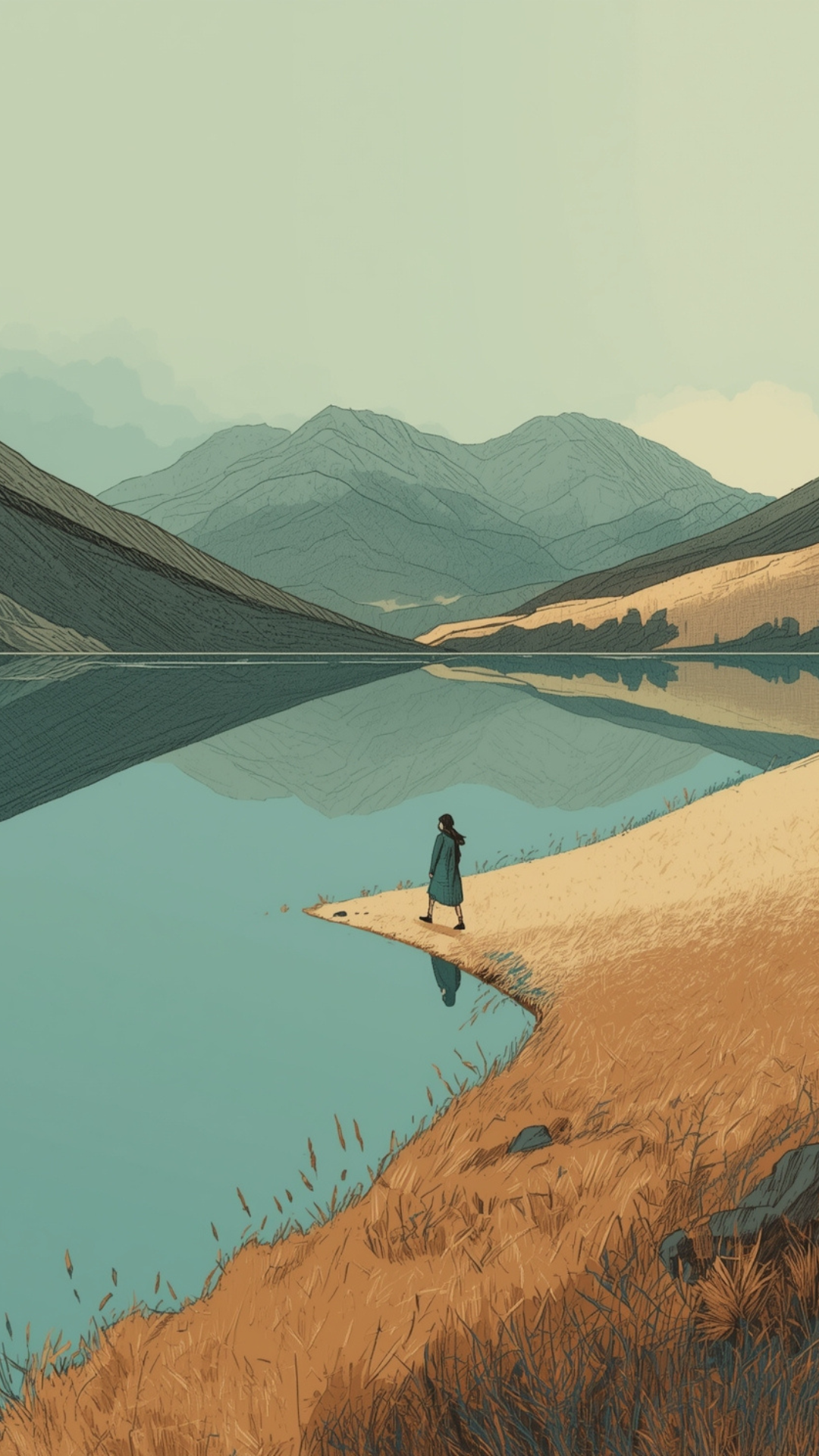
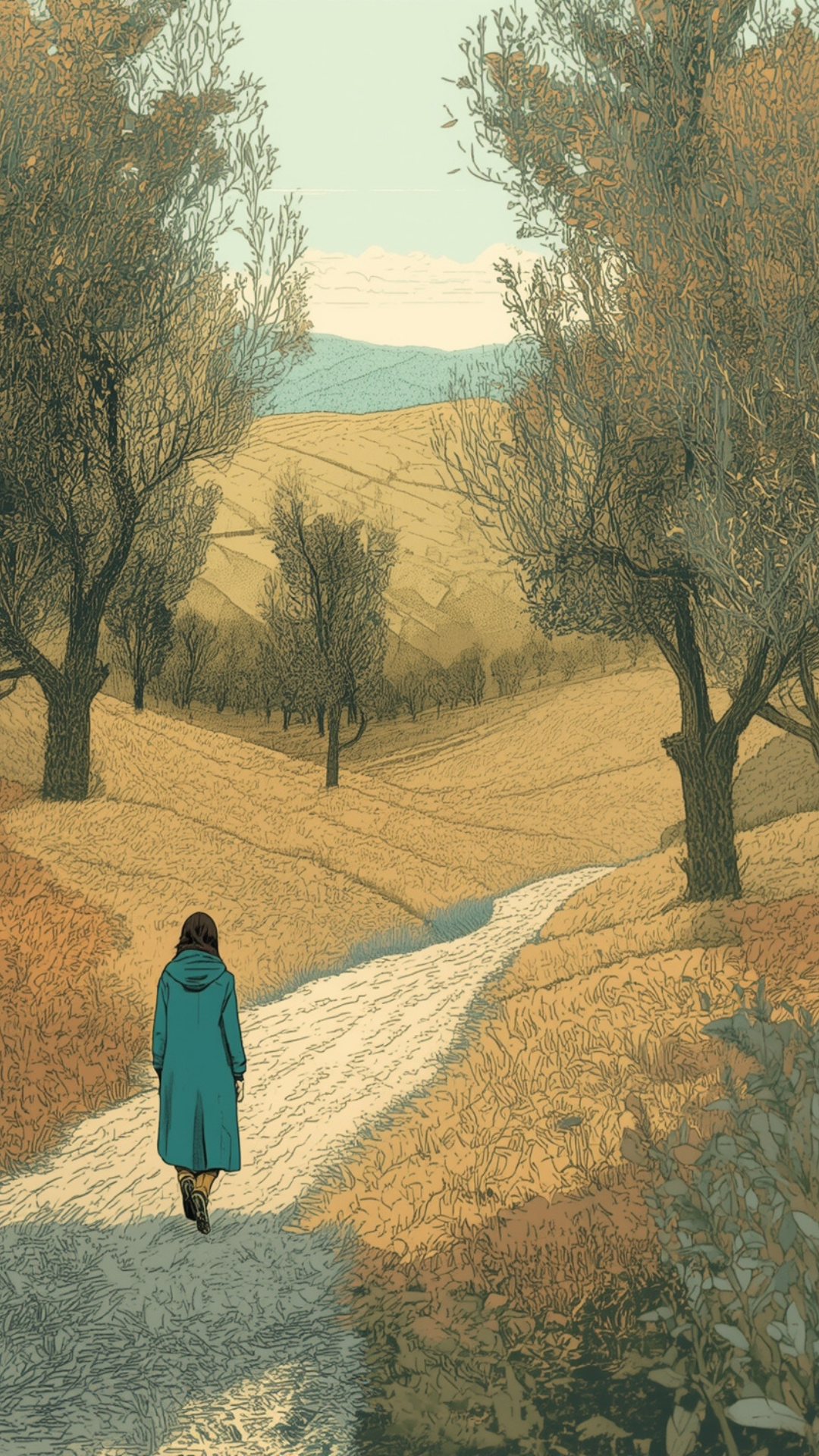
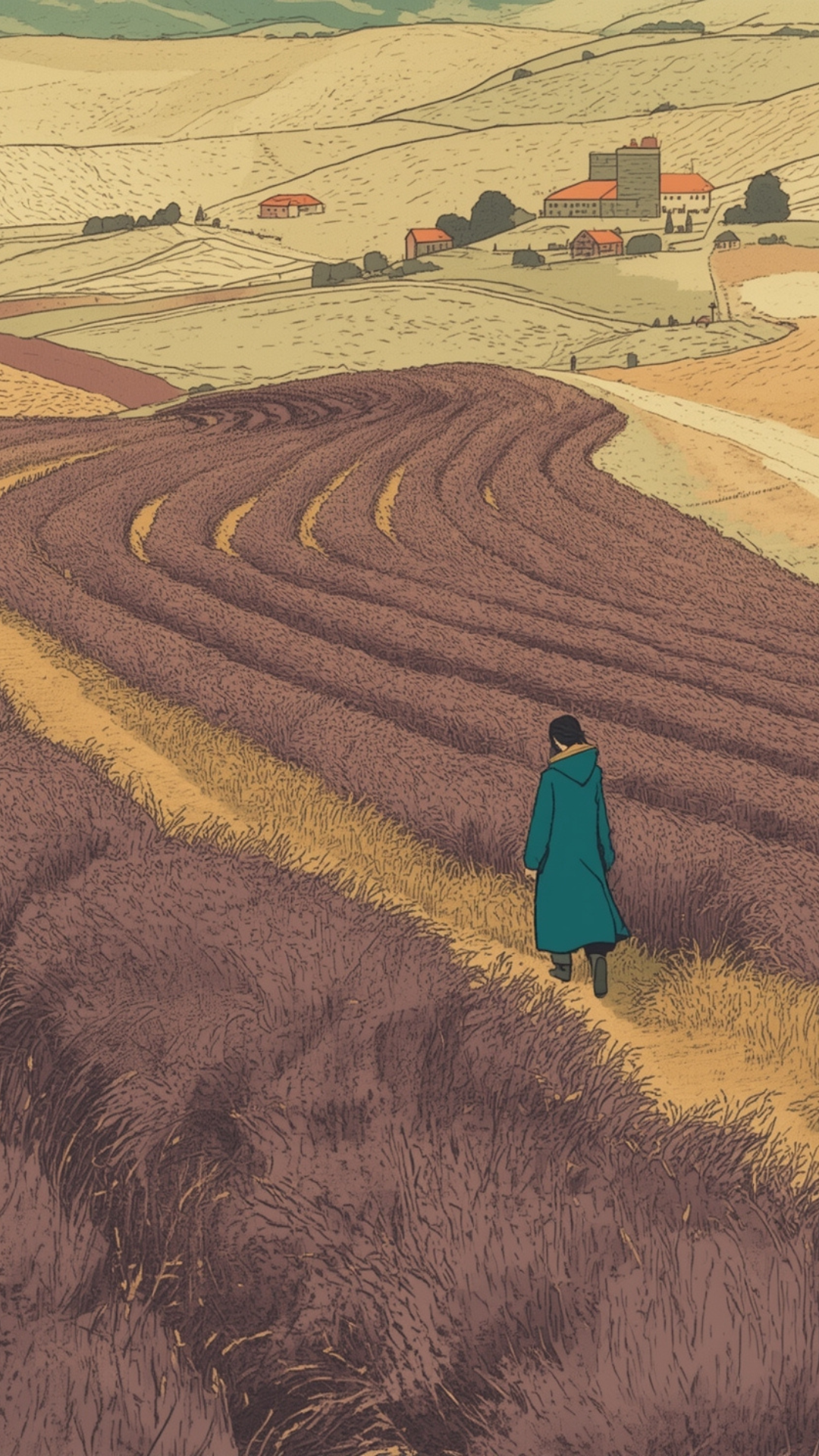
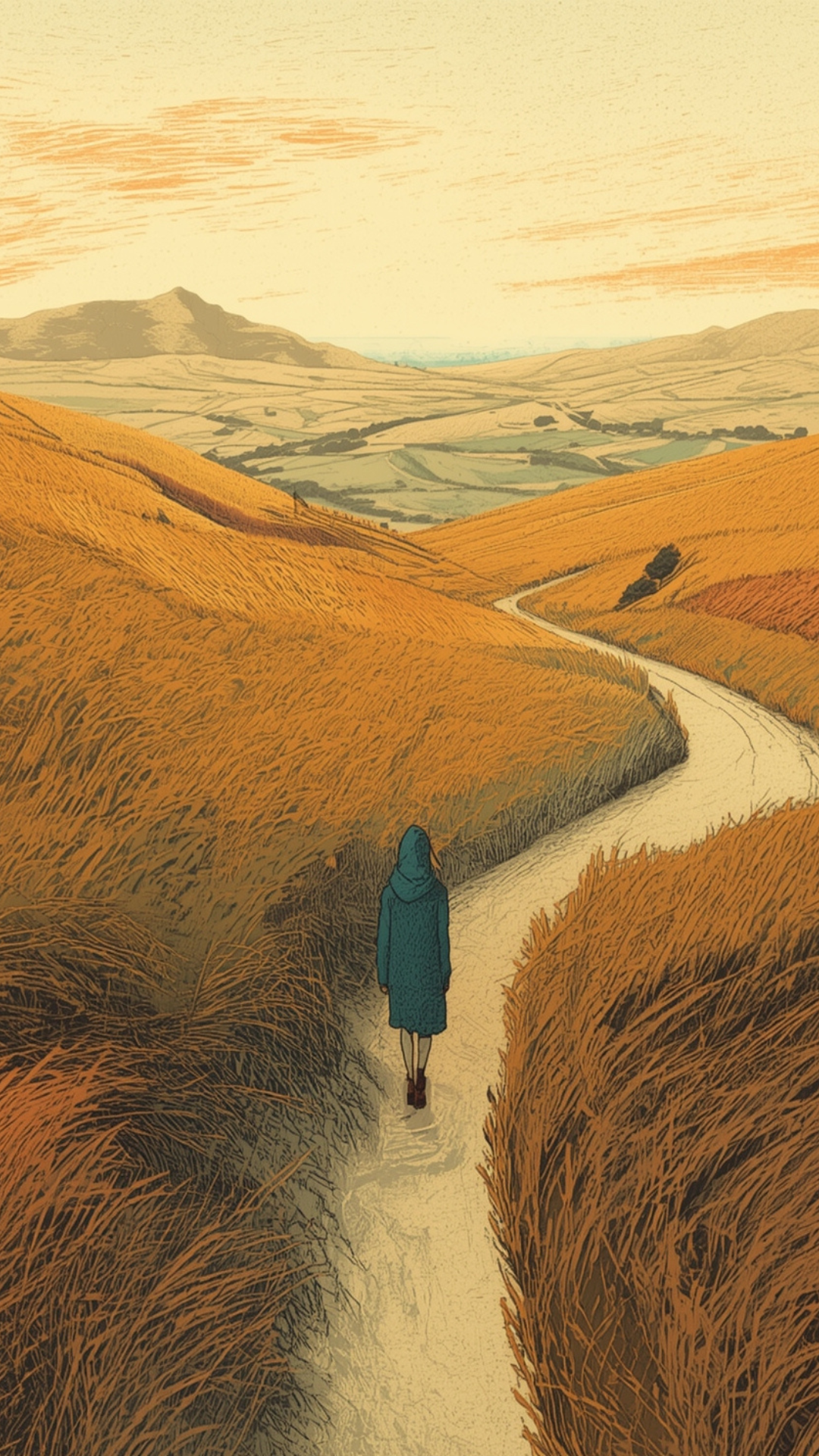
I built a universal prompt template that kept the core style instructions consistent while varying the landscape, time of day, and figure position. Some frames had the figure walking away from camera. Others showed her in profile, crossing the frame horizontally. This variety would matter for animation.
Learning: Iteration isn't failure. Some frames took 10+ generations to get right. The coastal cliffs gave me trouble. The night scene needed careful balance between dark sky and visible detail. This is the process, not a problem.
4. Refining the Images with Nano Banana Pro
Once I had my 8 base images, I ran them through Google Gemini’s Nano Banana Pro to upscale and refine. This added crispness, consistency, and brought out the texture. A small step, but it made a noticeable difference to the final quality.
5. Animating with Kling AI
This is where Kling AI came in. I wanted subtle movement: the figure walking, grasses swaying, clouds drifting, stars twinkling. Not dramatic. Contemplative.
Writing the animation prompts was the trickiest part of the whole project. Kling needs very specific, structured instructions. Vague prompts produce vague results - or worse, unwanted behaviour.
ChatGPT was essential here. Its approach to Kling prompts was much more technical than Claude’s: breaking down camera behaviour, primary motion, secondary motion, environmental elements, and constraints into separate, explicit instructions. When I wanted the figure to stand still and gaze at the moon, for example, Kling kept making her walk. ChatGPT helped me understand that I needed to explicitly forbid leg movement, specify that her feet remain planted, and give Kling an alternative micro-movement (a subtle head tilt, a weight shift) so the animation engine had something to do.
Learning: AI tools have personalities. Claude excels at strategy, structure, and creative direction. ChatGPT was more effective at the specific, literal, technical instructions Kling needed. Knowing which tool to use for what matters.
Some animations worked first time. Others needed multiple attempts. The lake reflection was particularly fiddly.
6. Creating the Soundtrack with Suno
I used Suno to generate a custom ambient drone. The prompt was detailed:
"Soft-focus ambient drone with slowly evolving pads and warm low-end bloom; distant air textures shimmering at the edges of the stereo field. Sparse felt-piano motifs appear like half-remembered thoughts, long tails drenched in gentle tape warble. Energy stays meditative and minimal, with subtle noise swells and filtered shifts marking emotional turns, rising to a restrained, hopeful radiance before dissolving back into a hushed, weightless stillness."
It worked beautifully. The music carried the emotional arc without competing with the visuals.
I layered in a few subtle sound effects from Freesound - gentle wind for the rushing frame, distant waves for the coastal scene, but kept them low in the mix. The drone soundtrack did most of the work.
Learning: Sound matters more than you think. The ambient track transformed static images into something emotional. Don't underestimate audio.
7. Voiceover
I cloned my voice using ElevenLabs and had it read the script. There's something uncanny about hearing "yourself" speak words you wrote but never recorded.
8. Assembly
The final assembly happened in two stages.
First, Filmora. I laid out the 8 animated clips, synced the voiceover, balanced the audio layers (drone, voice, sound effects), and created the basic sequence. Filmora includes some AI features and handles video editing well.
But for the text overlays, I moved to Canva. Filmora's text options felt limited for what I needed. Canva gave me far more flexibility: my brand font, precise control over the dark gold background boxes, better spacing, and easier timing adjustments. The final export came from Canva too.
The text styling took some refinement. I started with the boxes too large and too dark. Smaller text, warmer gold, slightly more padding - these small adjustments made the difference between "slapped on" and "integrated."
Learning: Use the right tool for each stage. Filmora for video editing and audio. Canva for typography and final polish. Fighting a tool's limitations wastes time.
What I Learned
1. Start with words, not pictures. The script shapes everything. Get that right first.
2. Protect what works. When you find a prompt or style that captures what you want, template it. Consistency comes from constraint.
3. AI tools have personalities. Claude for strategy, creative direction, and writing. ChatGPT for technical prompts and structured instructions. Leonardo for illustration. Kling for animation. Each has strengths. Use them accordingly.
4. Iteration isn't failure. Some frames took many attempts. That's creative work, with or without AI.
5. Human judgement is the throughline. Every tool required decisions: which output to keep, what to adjust, when to override, when to simplify. The AI proposed. I disposed.
6. Simple prompts often outperform complex ones. Leave room for interpretation. Over-specification can flatten results, though animation prompts are the exception. Kling needs precision.
7. Sound matters more than you think. A good ambient track transforms everything.
8. The creative process is still creative. Using AI didn't make this feel automated. It felt like collaboration. I was making decisions constantly - aesthetic, emotional, practical. I enjoyed it.
The Human in the Loop
This project reinforced something I talk about with clients: AI tools are powerful, but they're not replacements for human judgement. They're collaborators. They generate options. They accelerate iteration. They let you explore styles and techniques outside your usual toolkit, or move faster than you could alone.
I can draw and paint. I compose piano music. I could have created something entirely by hand. But AI let me work in a style I wouldn't have attempted otherwise, and complete in an afternoon what might have taken weeks. But the vision, the decisions, the taste - those are still mine. The "human-in-the-loop" is where the creative work actually happens.
If you're curious about using AI tools for your own creative projects, my advice is simple: start small, stay curious, and remember that your judgement is the most important tool in the kit.
The "Timing, Not Time" reel is the first in a short series exploring how we think about work and time. You can watch it here:
Frequently Asked Questions:
-
For this project I used Claude and ChatGPT for script and prompt development, Leonardo AI for generating illustrations, Kling AI for animation, and Suno for the ambient soundtrack. You don't need all of these to start. A simple AI-animated reel could be made with just an image generator and Kling AI.
-
Yes. AI tools can handle illustration and music composition if those aren't your strengths. But even if you do have creative skills, AI can accelerate the process or help you explore styles outside your usual range. What matters most is creative judgement: deciding what works, what to adjust, and when to simplify. The human-in-the-loop approach means your taste and decisions shape the final result.
-
This project took me about one afternoon of consolidated working time, spread across scripting, image generation, animation, soundtrack creation, and final assembly. The most time-consuming parts were refining the visual style and writing effective Kling AI animation prompts. A simpler reel with fewer frames could be even quicker.
-
They can, if you accept the first outputs. The key is iteration and a clear creative brief. I generated 10+ versions of some frames before finding the right one. Starting with a strong script and protecting a consistent visual style helped this project feel distinctive rather than generic.